Looking for the best laptop for CS2? Discover the ideal CPU, GPU, RAM, SSD, and display for Counter-Strike 2. Compare RTX 3050, RTX 4050, RTX 5060, and RTX 5090 gaming laptops.
Which Laptop Is Best for CS2? 2026 Buying Guide
Counter-Strike 2 (CS2) is one of the world's most popular competitive first-person shooter games. Powered by Valve's new Source 2 engine, the game offers improved graphics, physics, and overall gameplay compared to CS:GO. As a result, many older laptops struggle to deliver the high frame rates competitive players expect, leading many users to ask: Which laptop is best for CS2?
If your goal is to achieve consistently high FPS, fully benefit from a 144 Hz or 165 Hz display, and invest in a gaming laptop that will remain powerful for years, choosing the right hardware is essential. A good gaming laptop is not only about the graphics card—it also depends on the processor, RAM, SSD performance, cooling system, and display quality.
In this guide, we'll explain everything you need to know before buying a laptop for Counter-Strike 2, compare different hardware configurations, discuss the factors that affect FPS, and recommend gaming laptops suitable for different budgets.
Counter-Strike 2 System Requirements
Running Counter-Strike 2 smoothly requires more than simply meeting the minimum system requirements. If you're aiming for competitive gameplay with high FPS and stable performance, investing in stronger hardware is highly recommended.
Minimum Requirements
Windows 10 or Windows 11
Intel Core i5-750 or equivalent AMD processor
8 GB RAM
DirectX 11 compatible graphics card
SSD storage
Although the game will launch on this hardware, it won't provide the smooth and consistent performance expected in competitive matches.
Recommended Requirements
Intel Core i5-13400H or better
16 GB DDR5 RAM
NVIDIA GeForce RTX 3050 or better
PCIe NVMe SSD
144 Hz or higher IPS display
A laptop with these specifications will deliver significantly smoother gameplay and remain capable of handling future game updates.
The Most Important Components for a CS2 Gaming Laptop
Many buyers focus only on the graphics card when choosing a gaming laptop. However, Counter-Strike 2 benefits from a balanced system where the processor, memory, storage, display, and cooling all work together.
Before purchasing a gaming laptop, pay close attention to the following components:
Processor (CPU)
Graphics Card (GPU)
Memory (RAM)
SSD Storage
Display Refresh Rate
Cooling System
Each of these components directly affects FPS, responsiveness, loading times, and the overall gaming experience.
How Important Is the Processor for CS2?
Counter-Strike 2 relies heavily on processor performance, especially in competitive settings where players often lower graphics settings to maximize FPS.
Modern Intel Core HX and AMD Ryzen HX processors provide excellent single-core performance, which is particularly important for competitive FPS games. If you're aiming for 200 FPS or more, choosing a powerful processor is just as important as selecting a capable graphics card.
Intel or AMD?
Both Intel and AMD offer excellent gaming processors, and either platform can deliver outstanding performance depending on your needs.
Advantages of Intel Processors
Excellent single-core performance
Higher FPS in many competitive games
Stable drivers and software optimization
Wide selection of gaming laptop models
Advantages of AMD Processors
Better power efficiency
Lower power consumption
Strong multi-core performance
Longer battery life during everyday use
If Counter-Strike 2 and other competitive esports titles are your primary focus, Intel HX processors are among the strongest options. However, AMD Ryzen HX processors are also an excellent choice for users who combine gaming with content creation or productivity tasks.
How Much RAM Do You Need for CS2?
In 2026, 16 GB of DDR5 RAM should be considered the minimum for a gaming laptop.
While 8 GB is enough to launch the game, it quickly becomes a limitation when running applications such as Discord, Steam, or a web browser alongside CS2.
General recommendations include:
8 GB — Minimum requirement
16 GB — Recommended for most gamers
24 GB — Ideal for multitasking
32 GB or more — Best for professional workloads, streaming, and future-proofing
Why Is an SSD Important?
An SSD does much more than reduce boot times. It significantly improves Windows responsiveness, speeds up map loading, and provides a smoother overall user experience.
Current storage recommendations are:
512 GB SSD — Suitable for entry-level users
1 TB SSD — The best balance between capacity and price
2 TB SSD — Recommended for gamers with large game libraries
PCIe Gen4 NVMe SSDs offer considerably faster read and write speeds than older SATA SSDs, making them the preferred choice for modern gaming laptops.
Which Graphics Card Is Best for CS2?
While Counter-Strike 2 benefits greatly from a fast processor, the graphics card also plays an important role, especially at higher graphics settings and with high-refresh-rate displays.
Today's most popular gaming laptop GPUs include the RTX 3050, RTX 4050, RTX 5060, and RTX 5090. Each targets a different budget and level of performance.
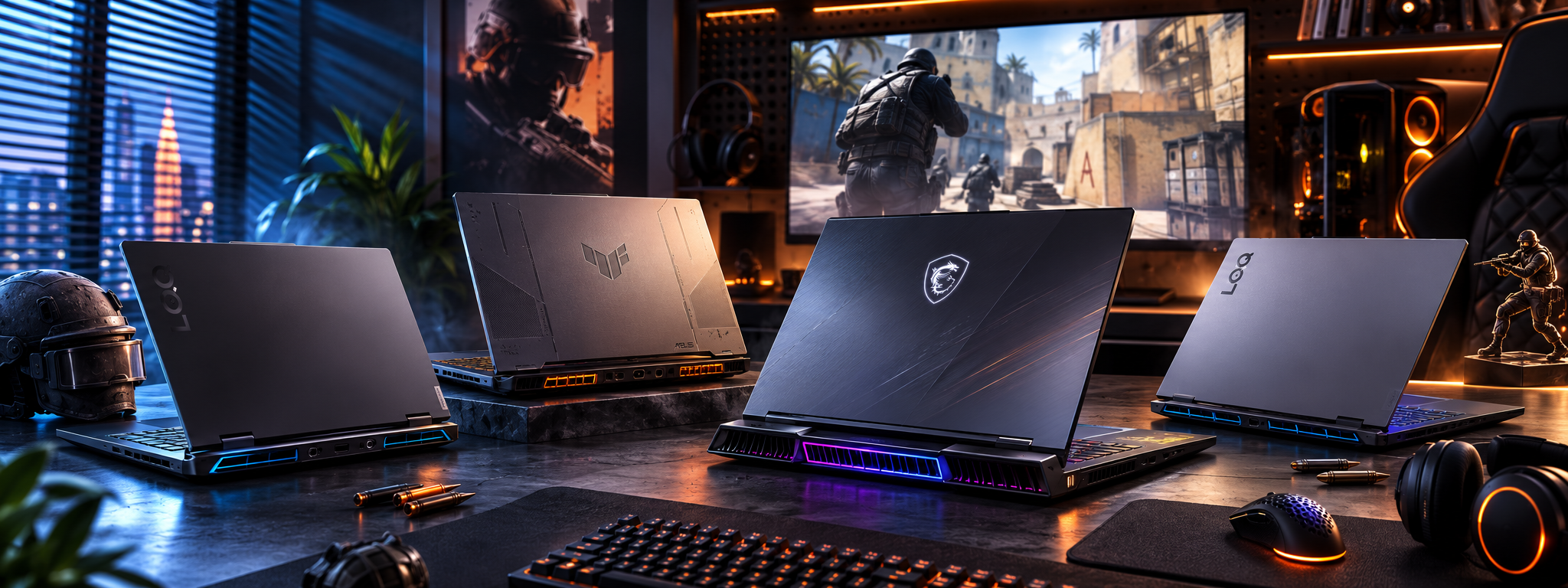
In the next section, we'll compare these GPUs in detail, discuss expected FPS performance, and naturally introduce the Lenovo LOQ, ASUS TUF Gaming, and MSI Vector gaming laptops as recommended options for different types of players.
RTX 3050, RTX 4050, RTX 5060, or RTX 5090 – Which GPU Is Best for CS2?
Although Counter-Strike 2 relies heavily on CPU performance, the graphics card still plays a major role in delivering smooth gameplay. If you're playing at high graphics settings or using a 144 Hz, 165 Hz, or 240 Hz display, choosing the right GPU will significantly improve your gaming experience.
For that reason, it's important to evaluate both the processor and graphics card when buying a gaming laptop.
RTX 3050 – The Best Budget Gaming Laptop Option
The NVIDIA GeForce RTX 3050 remains a solid choice for gamers looking for an affordable laptop capable of running Counter-Strike 2. It delivers stable performance at Full HD resolution using medium to high graphics settings.
Besides CS2, the RTX 3050 also performs well in popular esports titles such as Valorant, League of Legends, Rainbow Six Siege, Fortnite, and Dota 2.
If you're looking for a budget-friendly gaming laptop, the Lenovo LOQ 15IAX9 83GS00R9RK is an excellent option. Powered by the Intel® Core™ i5-12450HX processor, 24 GB DDR5 RAM, and an NVIDIA GeForce RTX 3050 6 GB graphics card, it offers smooth gameplay for Counter-Strike 2 while remaining suitable for everyday productivity.
Its 15.6-inch Full HD IPS display with a 144 Hz refresh rate provides fluid visuals and responsive gameplay, giving competitive players an advantage during fast-paced matches.
RTX 4050 – The Best Price-to-Performance Choice
The NVIDIA GeForce RTX 4050 has become one of the most popular gaming laptop GPUs in recent years. Built on NVIDIA's Ada Lovelace architecture, it delivers significantly better performance and improved power efficiency compared to previous-generation models.
If you're planning to keep your gaming laptop for several years, the RTX 4050 is one of the smartest long-term investments.
A great example is the Lenovo LOQ 15IRX9 83DV01GBRK. Equipped with an Intel® Core™ i7-13645HX processor, 16 GB DDR5 memory, and a 1 TB PCIe 4.0 NVMe SSD, it provides excellent performance not only in Counter-Strike 2 but also in modern AAA games.
Its 144 Hz IPS display delivers smooth visuals, while Lenovo's cooling system helps maintain stable performance during long gaming sessions.
Note: Before publishing the product page, verify the RTX 4050 VRAM capacity with Lenovo's official specifications to ensure the technical information is accurate.
RTX 5060 – A Future-Proof Gaming Laptop
If you plan to play not only Counter-Strike 2 but also demanding titles such as GTA VI, Cyberpunk 2077, Black Myth: Wukong, and other upcoming AAA games, the RTX 5060 is a more future-ready solution.
With next-generation architecture, improved ray tracing, and advanced DLSS technology, it delivers impressive gaming performance while remaining efficient.
One of the strongest choices in this category is the ASUS TUF Gaming F16 FX608JMR-RV037 90NR0NB1-M002S0. Featuring the Intel® Core™ i7-14650HX processor, NVIDIA GeForce RTX 5060 graphics, a 16-inch FHD+ IPS 165 Hz display, and a 1 TB NVMe SSD, it is designed for both competitive esports and demanding modern games.
The ASUS TUF Gaming series is also well known for its durable chassis and highly efficient cooling system, making it an excellent choice for extended gaming sessions.
RTX 5090 – Maximum Performance Without Compromise
For users who want the absolute best mobile gaming performance available today, the NVIDIA GeForce RTX 5090 sits at the top of the market.
This class of gaming laptop is designed not only for competitive gaming but also for professional content creation, AI development, 3D rendering, software engineering, and high-resolution video editing.
The MSI Vector 17 HX AI A2XWJG-223AZ 9S7-17S372-223 is one of the most powerful gaming laptops currently available. Featuring the Intel® Core™ Ultra 9 275HX processor, 32 GB DDR5 RAM, a 2 TB Gen4 NVMe SSD, and the NVIDIA GeForce RTX 5090 24 GB GDDR7 running at up to 175 W, it delivers outstanding performance in both Counter-Strike 2 and the latest AAA titles.
Its 17-inch QHD+ IPS display with a 240 Hz refresh rate and 100% DCI-P3 color coverage also makes it an excellent workstation for creative professionals.
144 Hz vs 165 Hz vs 240 Hz – Which Display Is Better?
Many buyers focus only on the CPU and GPU, but the display refresh rate has a direct impact on gameplay quality.
144 Hz
A 144 Hz display is the standard recommendation for competitive gaming. Compared to a traditional 60 Hz screen, gameplay feels significantly smoother and more responsive.
165 Hz
A 165 Hz display offers even smoother animations and slightly faster visual responsiveness, especially when paired with laptops powered by RTX 4050 or RTX 5060 graphics.
240 Hz
A 240 Hz display is primarily designed for professional esports players. To fully benefit from it, your laptop must consistently deliver over 240 FPS during gameplay.
Estimated CS2 FPS Performance
Actual frame rates depend on several factors, including the processor, graphics card, RAM configuration, cooling efficiency, and game settings. The figures below represent typical performance at Full HD resolution using competitive graphics settings.
RTX 3050 — Approximately 180–260 FPS
RTX 4050 — Approximately 250–350 FPS
RTX 5060 — Approximately 320–450 FPS
RTX 5090 — 450+ FPS
These performance levels provide the responsiveness and smoothness required for competitive Counter-Strike 2 gameplay.
Which Gaming Laptop Should You Choose?
If you're buying your first gaming laptop on a limited budget, an RTX 3050-powered model offers excellent value.
If you're looking for the best balance between price and performance, the RTX 4050 remains one of the smartest choices available.
Gamers who want a laptop capable of handling future AAA titles at high settings should consider the RTX 5060.
For users who demand the highest possible gaming performance, professional-grade hardware, and long-term future-proofing, an RTX 5090 gaming laptop is the ultimate solution.
In the final part of this guide, we'll cover the most common mistakes people make when buying a gaming laptop for CS2, answer frequently asked questions, and provide our final recommendations to help you choose the right model.
Common Mistakes When Buying a Laptop for CS2
One of the biggest mistakes gamers make when purchasing a gaming laptop is focusing only on the processor or graphics card. In reality, overall gaming performance depends on the balance between the CPU, GPU, RAM, SSD, display, and cooling system. Choosing the wrong configuration can reduce FPS, increase temperatures, and shorten the laptop's useful lifespan.
Focusing Only on the Graphics Card
Many buyers assume that any laptop equipped with an RTX 4060, RTX 5060, or RTX 5090 will automatically deliver the best gaming experience. However, a powerful GPU paired with a weaker processor can create a performance bottleneck.
Since Counter-Strike 2 is highly CPU-dependent, selecting a laptop with a well-balanced processor and graphics card is essential for achieving consistently high frame rates.
Buying a Gaming Laptop with Only 8 GB of RAM
Although 8 GB of RAM is enough to launch Counter-Strike 2, it is no longer sufficient for modern gaming. Running applications such as Discord, Steam, browsers, or recording software in the background can quickly consume available memory and reduce performance.
For 2026, the recommended minimum is:
16 GB DDR5 RAM
If you plan to stream, edit videos, or multitask while gaming, 24 GB or 32 GB of RAM is a much better long-term investment.
Ignoring the Cooling System
A powerful processor and graphics card generate significant heat during long gaming sessions. If the laptop has an inefficient cooling system, thermal throttling can reduce CPU and GPU performance, leading to lower FPS and a less enjoyable gaming experience.
Gaming series such as ASUS TUF Gaming, Lenovo LOQ, and MSI Vector are designed with advanced cooling solutions that help maintain stable performance under heavy workloads.
Choosing Too Little Storage
While Counter-Strike 2 itself doesn't require a huge amount of storage, modern AAA games such as GTA VI, Cyberpunk 2077, and Call of Duty can easily consume hundreds of gigabytes.
For most gamers:
512 GB SSD is the minimum acceptable capacity.
1 TB NVMe SSD is the recommended choice.
2 TB SSD is ideal for users with large game libraries.
Buying a Laptop with a 60 Hz Display
Even if your laptop produces over 200 FPS, a 60 Hz display cannot fully take advantage of that performance.
For competitive gaming, we recommend:
144 Hz as the minimum
165 Hz for smoother gameplay
240 Hz for professional esports players
Recommended Gaming Laptops for CS2
Choosing the right gaming laptop depends on your budget, gaming habits, and long-term expectations. Below are several excellent options for different types of players.
Lenovo LOQ 15IAX9 83GS00R9RK
If you're looking for an affordable gaming laptop capable of delivering smooth Counter-Strike 2 performance, the Lenovo LOQ 15IAX9 83GS00R9RK is a strong entry-level option. Powered by the Intel® Core™ i5-12450HX processor, 24 GB DDR5 RAM, and an NVIDIA GeForce RTX 3050 6 GB graphics card, it provides excellent value for competitive gaming while remaining suitable for everyday productivity.
Lenovo LOQ 15IRX9 83DV01GBRK
For gamers seeking the best balance between performance and price, the Lenovo LOQ 15IRX9 83DV01GBRK is one of the strongest choices available. Its Intel® Core™ i7-13645HX processor, RTX 4050 graphics, 16 GB DDR5 memory, and 1 TB PCIe 4.0 NVMe SSD deliver outstanding performance in Counter-Strike 2 as well as modern AAA games.
ASUS TUF Gaming F16 FX608JMR-RV037 90NR0NB1-M002S0
The ASUS TUF Gaming F16 FX608JMR-RV037 90NR0NB1-M002S0 is ideal for gamers who want strong long-term performance, durable build quality, and excellent cooling. Equipped with an Intel® Core™ i7-14650HX processor, NVIDIA GeForce RTX 5060 graphics, and a 165 Hz display, it offers an exceptional gaming experience for both esports and graphically demanding titles.
MSI Vector 17 HX AI A2XWJG-223AZ 9S7-17S372-223
For users who demand flagship-level hardware, the MSI Vector 17 HX AI A2XWJG-223AZ 9S7-17S372-223 represents the premium segment. Featuring an Intel® Core™ Ultra 9 275HX processor, NVIDIA GeForce RTX 5090 graphics, 32 GB DDR5 RAM, a 2 TB Gen4 NVMe SSD, and a 240 Hz QHD+ display, it is built for professional gamers, creators, and power users who expect uncompromising performance.
Frequently Asked Questions
How much RAM do I need for Counter-Strike 2?
Although the game can run with 8 GB of RAM, 16 GB DDR5 is the recommended minimum for a smooth gaming experience. Users who multitask or stream should consider 24 GB or 32 GB.
Is the RTX 3050 good enough for CS2?
Yes. The RTX 3050 delivers smooth gameplay at Full HD resolution using medium to high settings. However, if you want higher FPS and better long-term performance, the RTX 4050 or RTX 5060 is a better investment.
Is Intel or AMD better for Counter-Strike 2?
Both platforms perform very well. However, Intel HX-series processors often achieve slightly higher frame rates in CPU-intensive competitive games like Counter-Strike 2.
Is a 144 Hz display enough for CS2?
Absolutely. A 144 Hz display is ideal for most competitive players. Those targeting extremely high frame rates may benefit from a 165 Hz or 240 Hz panel.
Is an SSD important for Counter-Strike 2?
Yes. An NVMe SSD significantly reduces loading times, improves Windows responsiveness, and provides a smoother overall experience.
Should I buy a FreeDOS gaming laptop?
If you already own a Windows license or plan to install Windows yourself, purchasing a FreeDOS model can be a cost-effective option.
Conclusion
Choosing the right laptop for Counter-Strike 2 involves much more than selecting the most powerful graphics card. A balanced combination of processor, graphics card, RAM, SSD, display, and cooling system will provide smoother gameplay, higher frame rates, and a better long-term experience.
If you're shopping on a budget, the Lenovo LOQ 15IAX9 83GS00R9RK offers excellent value. For the best balance between price and performance, the Lenovo LOQ 15IRX9 83DV01GBRK is one of the strongest choices available. Gamers looking for a more future-proof system should consider the ASUS TUF Gaming F16 FX608JMR-RV037 90NR0NB1-M002S0, while those seeking uncompromising flagship performance will find the MSI Vector 17 HX AI A2XWJG-223AZ 9S7-17S372-223 to be an outstanding premium option.
By selecting hardware that matches your gaming needs, you'll not only enjoy higher FPS in Counter-Strike 2 but also ensure your laptop remains capable of handling future games and demanding workloads for years to come.