
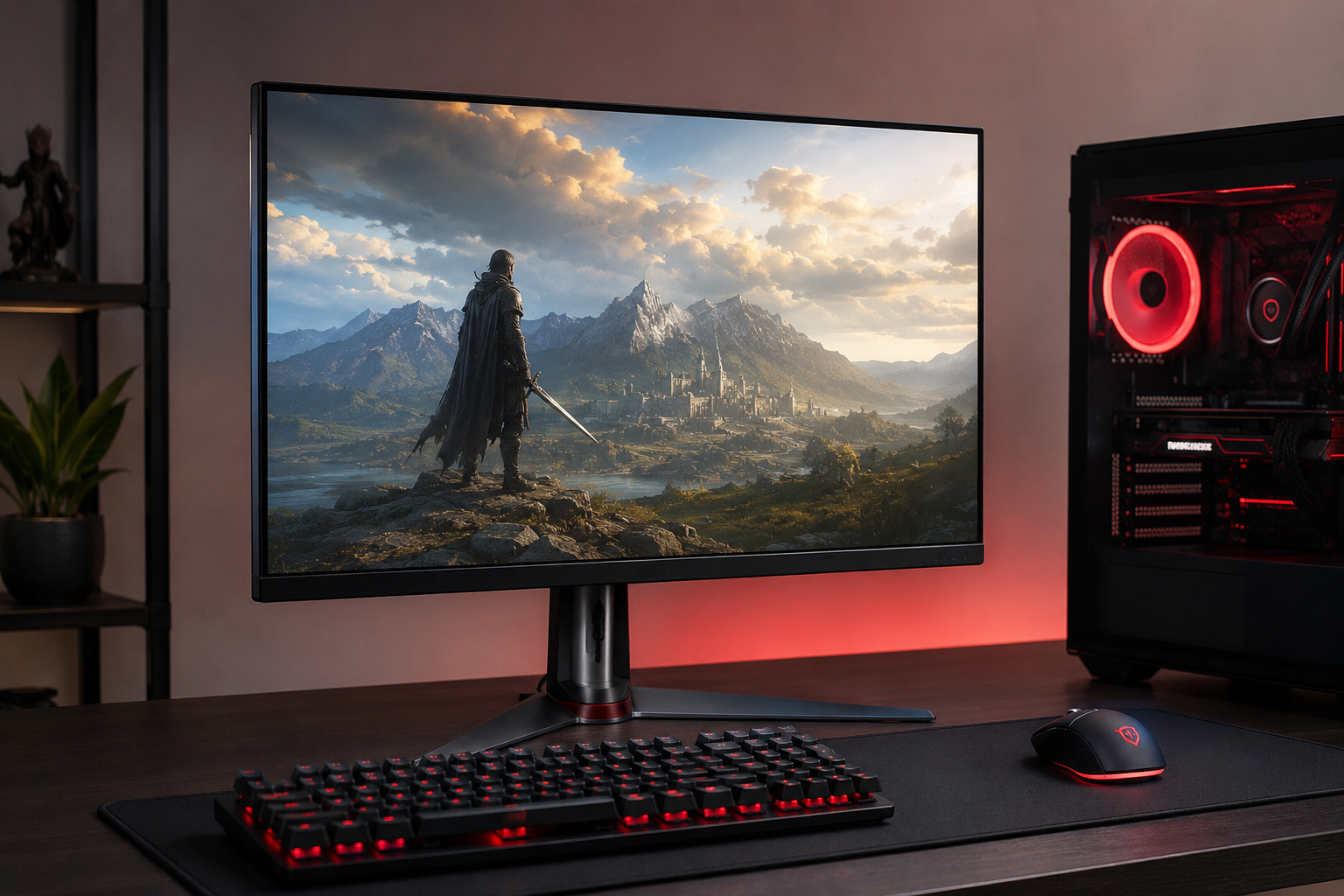
Learn how to choose the best gaming monitor in 2026. Discover the differences between 144Hz, 165Hz, and 240Hz monitors, IPS vs VA panels, screen sizes, resolutions, and more.
What Should You Look for When Buying a Gaming Monitor? Complete 2026 Guide
A powerful gaming PC alone is not enough to achieve the best gaming experience. The monitor you use plays a major role in how games look and feel. Even the most powerful graphics card cannot fully demonstrate its capabilities if it is paired with a low-quality display.
The gaming monitor market has evolved significantly in recent years. Modern gamers pay attention not only to screen size but also to refresh rate, response time, panel technology, resolution, and adaptive synchronization features.
With so many specifications available, choosing the right gaming monitor can be confusing.
In this guide, we will explain everything you need to know before buying a gaming monitor in 2026.
What Is a Gaming Monitor?
A gaming monitor is a display specifically designed to provide a smoother and more responsive gaming experience.
Compared to standard monitors, gaming monitors typically offer:
Higher refresh rates
Lower response times
Better motion clarity
Adaptive synchronization technologies
Enhanced gaming performance
These features can provide a noticeable advantage, especially in competitive games.
Why Is a Gaming Monitor Different from a Standard Monitor?
Many people think a monitor simply displays an image.
However, the specifications of a monitor directly affect gameplay performance.
For example:
A 60Hz monitor refreshes the image 60 times per second.
A 165Hz monitor refreshes the image 165 times per second.
This difference becomes very noticeable during fast-paced gameplay.
Higher refresh rates provide:
Smoother motion
Reduced motion blur
Faster visual feedback
Better overall gaming experience
This is why gaming monitors are considered a separate category from standard displays.
What Is Refresh Rate?
One of the most important specifications when choosing a gaming monitor is refresh rate.
Refresh rate refers to how many times the monitor updates the image each second.
Common refresh rates include:
60Hz
75Hz
100Hz
144Hz
165Hz
180Hz
240Hz
360Hz
The higher the refresh rate, the smoother gameplay appears.
This is especially important in competitive multiplayer games.
Is a 144Hz Monitor Still Good Enough?
A few years ago, 144Hz monitors were considered premium gaming displays.
Today, many gamers view 144Hz as the minimum standard.
A 144Hz monitor performs exceptionally well in:
FPS games
MOBA games
Racing games
For most users, a 144Hz monitor still offers excellent gaming performance.
Why Are 165Hz Monitors So Popular?
Currently, 165Hz gaming monitors are among the most popular options on the market.
The main reason is their excellent balance between price and performance.
A 165Hz monitor offers:
Smoother visuals
Better responsiveness
Excellent compatibility with modern GPUs
For most gamers, 165Hz is considered the sweet spot.
Who Should Buy a 240Hz Monitor?
Monitors with 240Hz or higher refresh rates are primarily designed for competitive gamers.
These displays are particularly beneficial in games such as:
Counter-Strike 2
Valorant
Apex Legends
Fortnite
Rainbow Six Siege
However, to fully benefit from a 240Hz monitor, you also need a powerful gaming system capable of producing very high frame rates.
Otherwise, much of the monitor's potential will go unused.
What Is Response Time?
Response time is another critical gaming monitor specification.
It measures how quickly a pixel can change from one color to another.
Common response time ratings include:
0.5 ms
1 ms
2 ms
4 ms
Lower response times are generally better for gaming.
Benefits of low response times include:
Reduced ghosting
Clearer motion
Improved visibility during fast gameplay
Better competitive performance
Most modern gaming monitors now offer response times of 1 ms or lower.
IPS vs VA vs TN: Which Panel Type Is Best for Gaming?
Refresh rate is not the only factor that matters when choosing a gaming monitor.
Panel technology also plays a major role in image quality and overall gaming experience.
The three most common panel types are:
IPS
VA
TN
Each panel technology has its own strengths and weaknesses.
What Is an IPS Panel?
IPS (In-Plane Switching) is currently the most popular panel technology for gaming monitors.
Advantages of IPS panels include:
Excellent color accuracy
Wide viewing angles
Better image quality
Strong performance for both gaming and professional work
Because of these benefits, many modern gaming monitors now use IPS panels.
For most users, IPS offers the best balance between gaming performance and visual quality.
What Is a VA Panel?
VA (Vertical Alignment) panels are known for their impressive contrast ratios.
Advantages include:
Deeper blacks
Higher contrast
Better movie and entertainment experience
However, some VA panels can exhibit motion blur during fast-paced gameplay.
For this reason, competitive gamers often prefer IPS displays.
What Is a TN Panel?
TN (Twisted Nematic) panels were once extremely popular among gamers.
Their main advantages include:
Very low response times
Lower prices
However, TN panels also have several disadvantages:
Poor color reproduction
Narrow viewing angles
Less attractive image quality
As IPS technology has improved, TN panels have become less common in modern gaming monitors.
Which Panel Type Should Gamers Choose?
For most gamers in 2026, IPS remains the best overall choice.
If you use your monitor for:
Gaming
Watching movies
Content creation
Everyday productivity
an IPS monitor usually provides the best experience.
VA panels are a good alternative for users who prioritize contrast and deeper blacks.
Full HD vs QHD vs 4K: Understanding Resolution
Resolution determines how much detail appears on your screen.
The most common gaming monitor resolutions include:
Full HD (1920 × 1080)
QHD (2560 × 1440)
4K UHD (3840 × 2160)
Each resolution has its own advantages.
Full HD Monitors
Full HD remains the most widely used gaming resolution.
Benefits include:
Lower cost
Higher frame rates
Easier GPU requirements
Graphics cards such as the RTX 4050 and RTX 5060 perform extremely well at Full HD resolution.
QHD Monitors
QHD has become one of the fastest-growing segments of the gaming monitor market.
Benefits include:
Sharper image quality
More screen space
Better visual detail
QHD is often considered the ideal balance between image quality and gaming performance.
Many gamers using RTX 5060 and RTX 5070 graphics cards prefer QHD displays.
4K Monitors
4K provides the highest level of image detail available in mainstream gaming monitors.
Advantages include:
Exceptional image sharpness
Outstanding visual quality
Excellent productivity experience
However, 4K gaming requires significantly more graphics power.
For the best experience, 4K is generally paired with high-end graphics cards such as the RTX 5080 and RTX 5090.
Choosing the Right Screen Size
Screen size has a major impact on gaming comfort and immersion.
The most popular gaming monitor sizes are:
24 inches
27 inches
32 inches
24-Inch Gaming Monitors
24-inch displays remain extremely popular among competitive gamers.
Advantages include:
Easy to view the entire screen
Excellent for FPS games
Ideal for Full HD resolution
Requires less desk space
Many esports players continue to use 24-inch monitors.
27-Inch Gaming Monitors
For most users, 27 inches is considered the ideal size.
Benefits include:
Larger viewing area
Better immersion
Excellent balance between gaming and productivity
A 27-inch QHD monitor is often regarded as the sweet spot in 2026.
32-Inch Gaming Monitors
32-inch displays provide a more immersive gaming experience.
They are particularly popular for:
Racing games
Flight simulators
Open-world adventures
Story-driven games
However, they require more desk space and are best paired with higher resolutions.
What Are AMD FreeSync and NVIDIA G-Sync?
One of the most important gaming monitor technologies today is adaptive synchronization.
The two most common solutions are:
AMD FreeSync
NVIDIA G-Sync
These technologies synchronize your monitor's refresh rate with your graphics card's frame output.
Benefits include:
Reduced screen tearing
Smoother gameplay
Better visual consistency
Improved gaming experience
Most modern gaming monitors support at least one of these technologies.
Is HDR Important for Gaming?
HDR (High Dynamic Range) enhances contrast and color reproduction.
A quality HDR monitor can provide:
Brighter highlights
Deeper shadows
More realistic visuals
Better overall image quality
However, not all HDR monitors deliver the same experience.
For meaningful HDR performance, it is generally recommended to look for:
HDR400 certification or higher
High brightness levels
Quality panel technology
If your budget allows, HDR can be a valuable addition to your gaming setup.
Which Gaming Monitor Is Best for You?
One of the biggest mistakes buyers make is assuming that the most expensive monitor is automatically the best option.
The ideal gaming monitor depends on your gaming style, hardware, budget, and personal preferences.
Different types of gamers have different requirements.
Best Monitor for Competitive FPS Gamers
If you primarily play:
Counter-Strike 2
Valorant
Apex Legends
Rainbow Six Siege
Fortnite
your main priorities should be speed and responsiveness.
Recommended specifications:
24" or 27" display
IPS panel
165Hz minimum
240Hz preferred
1 ms response time
These specifications help maximize reaction speed and visual clarity during fast gameplay.
Best Monitor for RPG and Open-World Games
Players who enjoy games such as:
Cyberpunk 2077
Red Dead Redemption 2
Hogwarts Legacy
Starfield
Assassin's Creed
often prioritize image quality over maximum refresh rates.
Recommended specifications:
QHD or 4K resolution
IPS or VA panel
HDR support
27" or 32" display
These monitors provide a more immersive and visually stunning gaming experience.
Best Monitor for Racing and Simulation Games
Simulation enthusiasts often benefit from larger displays.
Popular games include:
Forza Horizon
Assetto Corsa
Euro Truck Simulator 2
Microsoft Flight Simulator
Recommended specifications:
32" display or larger
QHD or 4K resolution
High contrast ratio
Curved display (optional)
Larger displays improve immersion and visibility.
Best Monitor for Gaming and Productivity
Many users need a monitor for both gaming and work.
The ideal balance is usually:
27" screen size
IPS panel
QHD resolution
165Hz refresh rate
This setup delivers excellent gaming performance while remaining highly productive for office work, content creation, and multitasking.
Common Mistakes When Buying a Gaming Monitor
Many buyers focus only on one specification while ignoring other important factors.
Focusing Only on Refresh Rate
Some people assume that a 240Hz monitor is automatically better than every 165Hz monitor.
In reality, image quality also depends on:
Panel type
Resolution
Color accuracy
Brightness
Contrast
A balanced monitor often provides a better overall experience.
Buying a Large Monitor for a Small Desk
A larger display is not always better.
A 32-inch monitor may feel overwhelming if your viewing distance is too short.
Monitor size should always match your desk space and seating position.
Choosing a Resolution Your GPU Cannot Handle
Many gamers purchase a 4K monitor without considering graphics card performance.
Higher resolutions require significantly more GPU power.
Monitor resolution should always be selected based on your hardware capabilities.
Ignoring Response Time
Response time is particularly important for competitive gaming.
A slower monitor can introduce visible ghosting and motion blur.
For gaming, a response time of 1 ms or lower is generally recommended.
Ignoring Panel Technology
Many buyers focus only on price.
However, panel type directly affects image quality.
For most gamers, IPS panels provide the best overall experience.
Recommended Gaming Monitor Specifications for 2026
If you are buying a gaming monitor today, the following configuration represents an excellent balance of performance, quality, and longevity:
27-inch display
IPS panel
QHD (2560 × 1440) resolution
165Hz refresh rate
1 ms response time
FreeSync or G-Sync support
HDR400 or higher
This setup is suitable for most modern gaming systems and should remain relevant for many years.
Final Thoughts
Choosing the right gaming monitor can dramatically improve your gaming experience.
A quality monitor provides:
Smoother gameplay
Faster responsiveness
Better image quality
Improved immersion
Greater enjoyment in every game
For most gamers in 2026, a 27-inch QHD IPS monitor with a 165Hz refresh rate represents the ideal combination of performance, visual quality, and value.
Rather than focusing on a single specification, it is important to evaluate refresh rate, resolution, panel type, response time, and adaptive sync support together.
A well-chosen gaming monitor can remain an excellent investment for five years or more.
Frequently Asked Questions
How many Hz do I need for gaming?
In 2026, 144Hz is considered the minimum recommendation for gaming. For most users, 165Hz offers the best balance between performance and value.
Is IPS better than VA for gaming?
For most gamers, IPS provides better color accuracy and wider viewing angles. VA panels offer stronger contrast and deeper blacks.
Should I buy a 24-inch or 27-inch monitor?
24-inch monitors are ideal for Full HD gaming, while 27-inch monitors are generally better for QHD resolution.
Is 4K necessary for gaming?
Not necessarily. For most gamers, QHD provides the best balance between image quality and performance.
What do FreeSync and G-Sync do?
These technologies synchronize your monitor and graphics card to reduce screen tearing and create smoother gameplay.
Can a gaming monitor be used for work?
Yes. Modern gaming monitors are excellent for productivity, content creation, office work, and entertainment.
Is there a noticeable difference between 165Hz and 240Hz?
Competitive gamers may notice the difference more easily. For most users, 165Hz already delivers an extremely smooth experience.
How long does a gaming monitor last?
A high-quality gaming monitor can typically remain useful for 5–8 years or even longer with proper care.