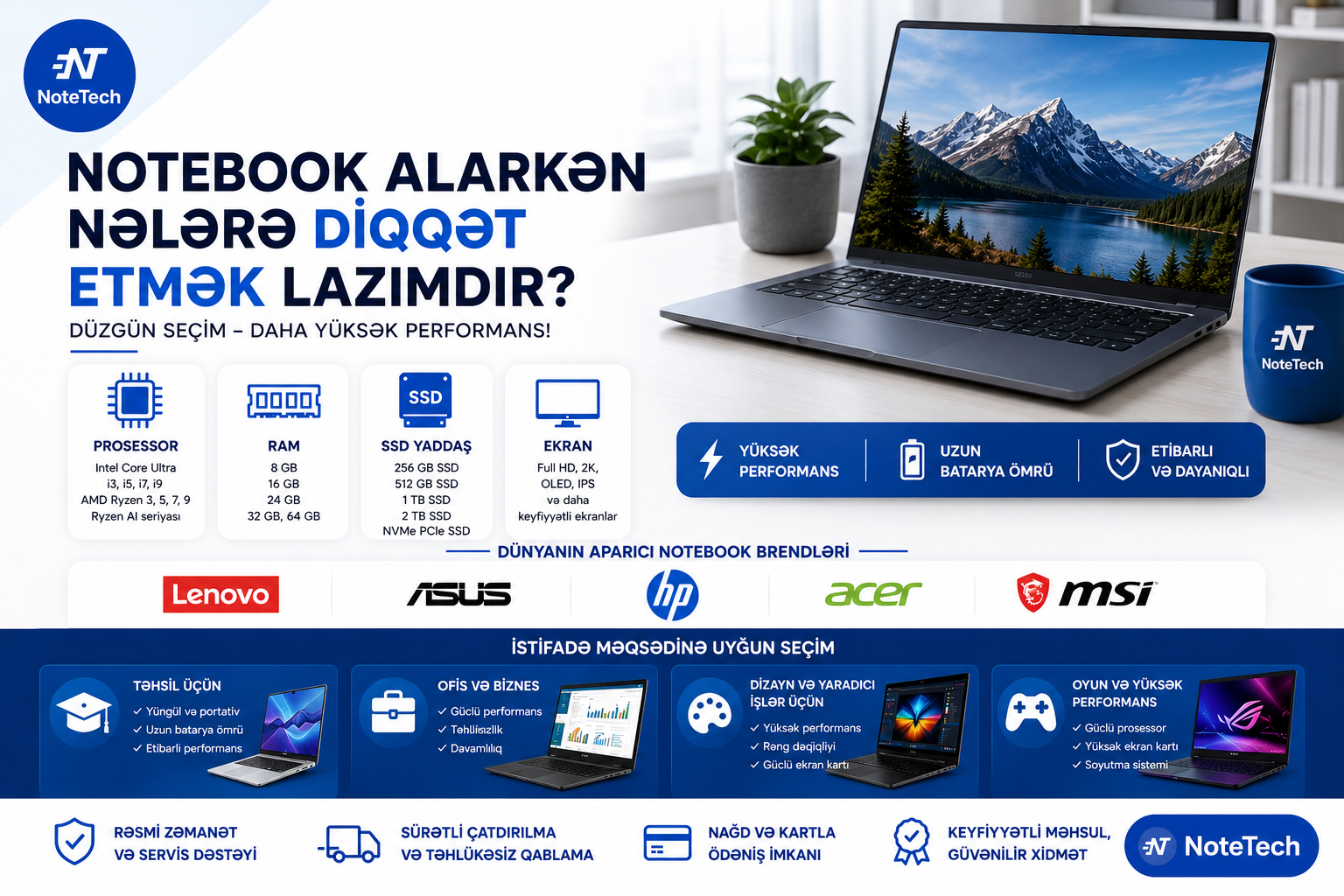
Complete laptop buying guide for 2026. Learn about Intel Core Ultra, AMD Ryzen AI, RAM, SSD storage, display technologies, and popular brands including Lenovo, ASUS, HP, Acer, and MSI.
What Should You Consider When Buying a Laptop? A Complete Guide for 2026
In today's world, laptops have become an essential part of education, work, and everyday life. Whether you are a student, office worker, entrepreneur, or home user, choosing the right laptop directly affects both your productivity and overall user experience.
With hundreds of models, dozens of specifications, and numerous brands available on the market, selecting the ideal laptop can sometimes be a challenging task.
In this guide, we will explain the most important factors to consider when buying a laptop, including processor types, RAM and SSD options, display technologies, popular brands, and recommendations based on different usage scenarios.
Why Is Choosing the Right Laptop Important?
Many buyers focus only on price when purchasing a laptop. However, choosing a device solely because it is inexpensive may lead to performance issues after only a few months of use.
A well-selected laptop can provide stable and reliable performance for years while helping you save both time and money.
Before purchasing a laptop, you should first determine your primary needs:
Will you use it for education and studying?
Do you mainly work with office applications?
Will you use graphic design or video editing software?
Are you planning to play modern games?
Do you intend to use AI-powered features and applications?
Answering these questions will significantly simplify the selection process.
Processor (CPU) – The Brain of the Laptop
The processor is the most important component that determines a laptop's overall performance. Today, Intel and AMD dominate the laptop processor market.
Intel Processors
Intel has been one of the leading manufacturers in the laptop industry for many years.
The most common Intel processors include:
Intel Processor N100
Intel Processor N200
Intel Core i3
Intel Core i5
Intel Core i7
Intel Core i9
Intel Core Ultra 5
Intel Core Ultra 7
Intel Core Ultra 9
Intel Core i3 is suitable for everyday tasks, internet browsing, and education.
Intel Core i5 is currently considered the most popular choice due to its excellent balance between performance and price.
Intel Core i7 is ideal for programming, engineering applications, and intensive multitasking.
Intel Core i9 is designed for professional users and demanding workloads.
The latest Intel Core Ultra processors offer advanced AI capabilities, improved energy efficiency, and enhanced overall performance.
AMD Processors
AMD has made significant progress in recent years and has become a strong competitor in the laptop market.
Popular AMD processors include:
AMD Ryzen 3
AMD Ryzen 5
AMD Ryzen 7
AMD Ryzen 9
AMD Ryzen AI 5
AMD Ryzen AI 7
AMD Ryzen AI 9
Ryzen 5 and Ryzen 7 processors provide an excellent balance between performance and affordability.
The new Ryzen AI series is specifically optimized for artificial intelligence workloads and modern productivity applications.
How Much RAM Do You Need?
RAM determines how many applications your laptop can run smoothly at the same time.
8 GB RAM
Suitable for:
Education
Office applications
Web browsing
Online classes and meetings
16 GB RAM
Currently considered the optimal choice for most users.
Recommended for:
Multitasking
Programming
Design software
Business use
32 GB RAM and Higher
Designed for professional users who work with:
3D modeling
Video editing
Artificial intelligence projects
Virtual machines
Modern laptops typically feature DDR4, DDR5, or LPDDR5X memory technologies.
The Importance of SSD Storage
While HDD drives were once the standard, SSD storage has become an essential feature in modern laptops.
Advantages of SSDs include:
Faster system boot times
Quicker application loading
Lower power consumption
Silent operation
SSD Capacity Options
256 GB SSD
Suitable for students and basic users.
512 GB SSD
One of the most popular and recommended storage capacities today.
1 TB SSD
Ideal for users who store large numbers of files, applications, and projects.
2 TB SSD
Recommended for professionals working with large datasets and extensive media libraries.
Most modern laptops use high-speed M.2 NVMe PCIe SSD technology, which delivers significantly faster performance than traditional SATA SSDs.
Display Selection
The quality of a laptop's display plays a major role in the overall user experience.
Full HD (1920×1080)
Currently considered the minimum recommended screen resolution.
2K and WQXGA
Provide sharper images and greater visual clarity.
OLED Displays
OLED screens offer:
More vibrant colors
Higher contrast ratios
Deeper black levels
making them an excellent choice for content creators and professionals.
IPS Displays
IPS panels remain one of the best options for everyday use due to their color accuracy and wide viewing angles.
Which Screen Size Is Best?
14-inch
Lightweight
Easy to carry
Ideal for students and frequent travelers
15.6-inch
The most popular laptop size on the market.
16-inch
Provides a larger workspace while remaining relatively portable.
17.3-inch
Typically preferred by gamers and professional users who need a larger display.
AI-Powered Laptops
One of the biggest trends in 2026 is the rise of AI-powered laptops.
This category includes:
Intel Core Ultra series
AMD Ryzen AI series
Copilot+ PC models
These devices can accelerate tasks such as:
AI assistants
Image processing
Video editing
Content generation
making everyday workflows more efficient.
The Most Popular Laptop Brands
Lenovo
Lenovo is one of the world's best-selling laptop manufacturers.
Popular series:
IdeaPad
ThinkPad
Yoga
Legion
ASUS
ASUS offers a wide range of laptops for both everyday users and professionals.
Popular series:
VivoBook
ZenBook
TUF Gaming
ROG
HP
HP is known for reliability and business-oriented solutions.
Popular series:
HP 15
Pavilion
ProBook
EliteBook
Acer
Acer provides an excellent balance between affordability and functionality.
Popular series:
Aspire
Swift
Extensa
MSI
MSI is widely recognized for its high-performance laptops.
Popular series:
Modern
Prestige
Katana
Raider
Gigabyte
Gigabyte is especially popular among performance-focused users.
Popular series:
G Series
Aorus
Best Laptop Configuration for Students
Students can comfortably use a laptop with:
Intel Core i3 or AMD Ryzen 3
8 GB RAM
256 GB or 512 GB SSD
Full HD IPS display
This configuration is suitable for studying, research, and everyday tasks.
Best Laptop Configuration for Office Work
Office users should consider:
Intel Core i5 or AMD Ryzen 5
16 GB RAM
512 GB SSD
This setup provides smooth performance and long-term usability.
Laptops for Design and Video Editing
Graphic designers and content creators should look for:
Intel Core i7 or i9
Intel Core Ultra 7 or Ultra 9
AMD Ryzen 7 or Ryzen 9
16–32 GB RAM
1 TB SSD
OLED or premium IPS display
These specifications deliver the performance required for demanding creative workloads.
Conclusion
Choosing a laptop should never be based solely on price. Processor performance, RAM capacity, SSD storage, display technology, and intended usage should all be evaluated together.
Leading brands such as Lenovo, ASUS, HP, Acer, MSI, and Gigabyte offer a wide range of models suitable for different budgets and requirements.
If you are planning to buy a new laptop, start by identifying your needs while also considering future requirements. A well-chosen laptop will improve your productivity, provide a better user experience, and remain reliable for many years.
At Note Tech, you can explore a wide selection of laptops designed for education, business, content creation, gaming, and everyday use, helping you find the perfect device for your needs.